
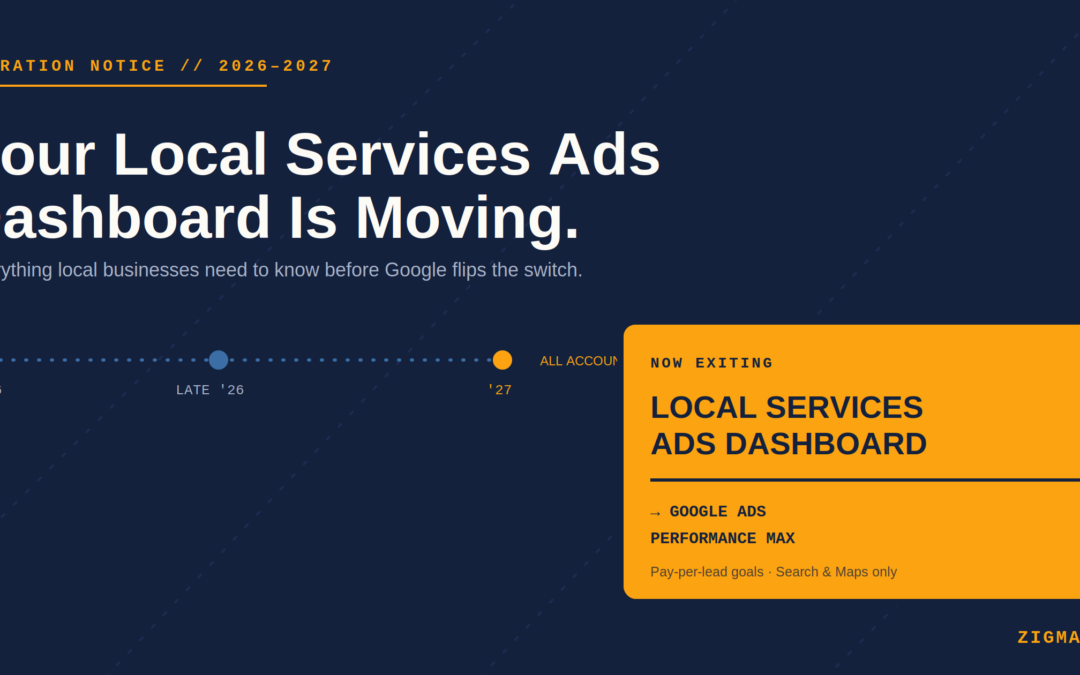
Here’s Everything You Need to Know Before It Happens to You
If you run a plumbing company, an HVAC business, a law firm, or literally any local service that’s ever paid for a Google lead — sit down. Google just confirmed it’s shutting down the standalone Local Services Ads (LSA) dashboard and folding everything into Google Ads under a new “Performance Max with pay-per-lead goals” campaign type.
No, this isn’t a rumor. It’s official, it’s already rolling out, and depending on your industry, your account could migrate as soon as August 2026. Here’s what’s actually changing, what’s staying the same, and the questions every local business owner is asking right now.
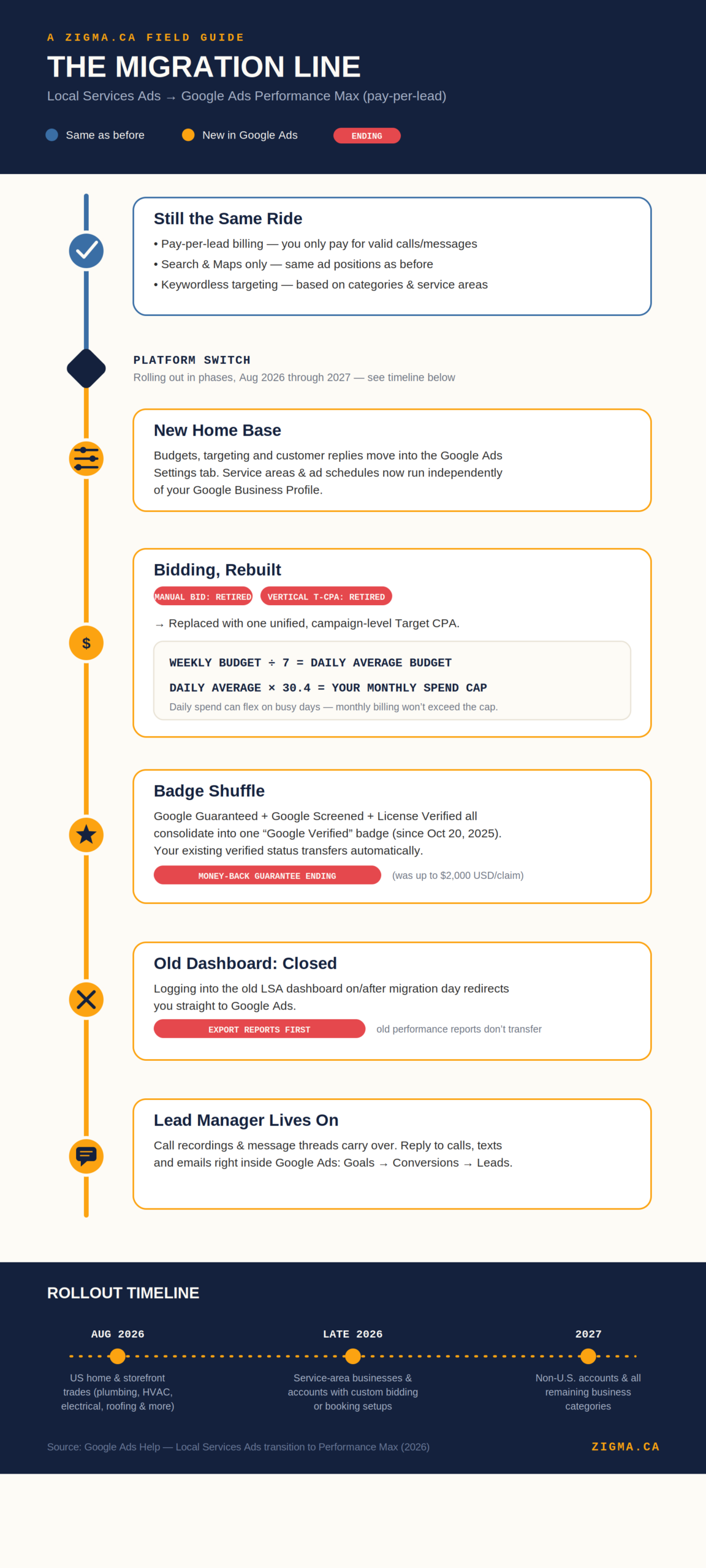
The whole migration, in one image
1. Wait — how do I even sign up for Google Local Services Ads now?
For the moment, nothing changes here: new advertisers still apply the same way, through g.co/localservices. Google has confirmed that you can’t create a new pay-per-lead campaign directly inside Google Ads yet — that self-serve creation option is coming “later,” but there’s no firm date attached to it.
Translation: if you’re new to this, apply the old way. If you’re already running LSAs, Google will migrate you automatically — you don’t need to do anything to “sign up” again.
2. What’s actually different from the old Local Services Ads process?
The biggest shift is where you manage everything. Your budgets, targeting, and customer replies move out of the old LSA dashboard and into the regular Google Ads interface. On top of that:
- Manual bidding is gone. You can no longer set a manual max cost-per-lead.
- Vertical-level Target CPA is gone too. If you used to run different cost targets per service category inside one campaign, Google now applies one unified Target CPA across the whole campaign (you can still split categories into separate campaigns if you want separate targets).
- Google Business Profile becomes the source of truth. Your business name, address, and hours sync automatically from your Business Profile into Google Ads.
- BBB callouts are dead. If you were using Better Business Bureau callouts, you’ll need to swap in at least six other structured callouts (hours, specialties, payment methods, etc.) instead.
3. Do I still need to go through all that third-party document verification?
If you’re already verified: relax. Google says your verified status and badge carry over automatically — no insurance or license re-verification required just because of the migration. You’ll only see a request for more documents if Google’s ops team flags something later on.
If you’re a brand-new advertiser, though, the screening process hasn’t disappeared — you’ll still go through business registration checks, background checks for owners/staff in certain industries, and license/insurance document review before your ads go live. That part of the process is unchanged.
4. Okay but does it actually work like the old one?
Mostly, yes — and this is the part Google is leaning on hard to reassure people. The core mechanics carry over as-is:
- You still only pay for valid leads (calls, messages), not clicks.
- Your ads still show only on Google Search and Google Maps, in the same positions.
- Targeting is still keywordless — based on your service categories and areas, not keywords you pick.
Despite carrying the “Performance Max” name, these campaigns will not expand into Display, YouTube, or Gmail like a normal PMax campaign does. Same playing field, new stadium.
5. What happens to all the settings I had in the Local Services Ads portal?
They move with you. Service areas, ad schedules, budget limits, business categories, and photos all transfer automatically into the new Google Ads Settings tab under Campaigns. Once migrated, these targeting settings actually run independently of your Google Business Profile — so you can tweak your ad targeting without touching your live business listing.
6. Does the dashboard literally disappear once I go live on PMax?
Yes. Once your account migrates, logging into your old Local Services Ads dashboard automatically redirects you to your new campaign overview inside Google Ads. Your old performance reports (weekly spend, clicks, impressions, ad-level stats) do not carry over — Google is explicit that you need to export/download that historical data before your migration date, or it’s gone.
Your actual lead history (contact info, message threads, older call recordings) does carry over into the new Lead Manager. It’s specifically the aggregated performance reporting that gets wiped.
7. Can I just crank my budget to the max and flood myself with leads?
Not quite as freely as before. Here’s the mechanic:
- Your old weekly budget gets divided by 7 to become a daily average budget.
- Your monthly spend cap = that daily average × 30.4 (average days per month) — so your total monthly bill won’t blow past that, even if daily spend fluctuates on busy days.
- Since manual bidding is gone, you’re no longer setting your own hard ceiling on cost-per-lead — the system applies an automated, unified Target CPA instead.
So yes, you can raise your budget — but you’re working within Google’s automated bidding guardrails now, not manually dialing a max CPL like before.
8. Where do these ads actually show up?
Google Search and Google Maps. That’s it. Even though the campaign type is technically built on Performance Max infrastructure, Google has explicitly said these pay-per-lead campaigns stay local-only — no Display Network, no YouTube, no Gmail placements.
9. Does it still give me the Google Guarantee badge? What happened to Google Guarantee?
This one trips a lot of people up. As of October 20, 2025, Google consolidated the old three-badge system — Google Guaranteed, Google Screened, and License Verified by Google — into a single unified “Google Verified” badge. If you were already showing one of the old badges, it flips over to Google Verified automatically; no extra steps needed.
The bigger deal: the Money-Back Guarantee feature that came with the old “Google Guaranteed” badge is being sunset. Claims for jobs booked before the cutoff reportedly remain honorable for a limited window after service completion, but going forward, that specific consumer protection perk is going away. Your trust badge stays — the reimbursement program behind it doesn’t.
10. So what was the Google Guarantee “insurance” amount, anyway?
Under the old Google Guaranteed program, eligible customers could be reimbursed up to $2,000 USD if they were dissatisfied with work booked through a Google Guaranteed provider. That’s the figure disappearing along with the badge consolidation — it’s being retired, not migrated.
11. How do I dispute a charge now?
Here’s where we have to be honest: Google’s official migration page doesn’t spell out a new dispute process for the PMax pay-per-lead Lead Manager specifically — we’re waiting for more updates from Google on this.
What’s publicly documented (from Google Ads’ own product history, not this migration announcement) is that the old manual “flag a lead, pick a reason, submit” dispute button was phased out back in 2024 in favor of an automated review system, with the “Rate this lead” feedback tool doubling as your main lever for getting credit on bad leads. Whether that exact flow carries over untouched into the new Lead Manager hasn’t been confirmed by Google yet — treat this as a “watch this space” item.
12. Can I still listen to my call leads?
Yes. Google explicitly confirms that your historical lead data — including older call recordings and full message threads — transfers automatically and stays accessible inside the new Lead Manager.
13. Where do I reply to SMS leads that come from the campaign?
Inside Google Ads: go to Goals → Conversions → Leads to open Lead Manager, then click into an individual lead to open the communication panel, where you can read and reply to text and email leads directly — no separate app needed.
14. Do I need an agency to manage this?
Technically? No — Google’s whole pitch here is a “simplified onboarding” that doesn’t require manual account linking or complicated bidding setup. Practically? Automated Target CPA bidding, a brand-new interface, budget recalculations, and a still-unclear dispute process are exactly the kind of “quietly costing you money” details that are easy to miss on your own — especially in the first few weeks after migration when Google itself says performance may take up to two weeks to stabilize.
The bottom line
This is a platform migration, not a product overhaul — the pay-per-lead model, the local-only placements, and the keywordless targeting aren’t going anywhere. But bidding controls, reporting, and badge/guarantee mechanics are all shifting under the hood, and the rollout is happening in phases through 2026 and into 2027. If your migration email hasn’t landed yet, it will — the smart move is exporting your historical reports now and getting familiar with the new Google Ads Settings tab before your account gets switched over for you.
Sources: Google Ads Help — Local Services Ads transition to Performance Max campaigns with pay-per-lead goals